
Laser Service Information to Collect Before Troubleshooting
Collecting accurate information before a laser-support session reduces guesswork, avoids repeated disassembly, and helps the vendor determine whether remote or on-site service is appropriate.
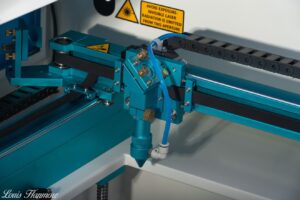
Stop and secure the machine if you see fire, smoke, arcing, exposed conductors, water near energized parts, damaged interlocks, uncontrolled motion, or an unknown high-voltage condition.
Machine identification
- Manufacturer, exact model, serial number when appropriate, approximate age, and purchase source.
- Laser type and rated power: CO₂ glass tube, RF CO₂, fiber, UV, diode, or another source.
- Controller, motion system, chiller, air-assist system, exhaust system, and primary software.
- Power requirements and any recent move, installation, electrical, networking, or computer change.
Describe the symptom precisely
State what should happen, what happens instead, when it began, and whether it is constant or intermittent. Copy controller alarms and software errors exactly. Note whether the failure affects power, beam quality, engraving, cutting, motion, homing, focus, cooling, exhaust, communication, or job files.
Record operating evidence
- Photos of the full machine, nameplate, control screen, affected area, and material result.
- A short video when sound, motion, intermittent behavior, or startup sequence matters.
- Material, thickness, speed, power, frequency or pulse settings, lens, nozzle, focus method, and air pressure.
- Temperature, coolant flow, exhaust condition, contamination, and maintenance history.
List recent changes and tests
Document tube or source replacement, mirror or lens cleaning, alignment, belt work, firmware, software updates, crashes, power events, wiring changes, and parts installed. List only tests performed safely and record their actual result—not simply “everything checked.”
Prepare for remote support
Have the machine accessible, manuals and wiring diagrams available, a camera that can show the machine, a computer with the normal software, and a qualified on-site person. Do not remove energized high-voltage covers or defeat interlocks for a video call.